ClipNest 3 Adds Searchable History and Snippets
ClipNest 3 is a fictional clipboard manager update used in this demo. It adds searchable history, reusable text snippets and a team plan, while the free plan keeps a shorter history. This story shows how a product news page looks, and none of its details describe a real app.

Quick viewCollapseExpand
ClipNest, a fictional clipboard manager for Mac, released version 3 this week. The update focuses on finding old copies quickly and reusing text you type often.
What is new in ClipNest 3
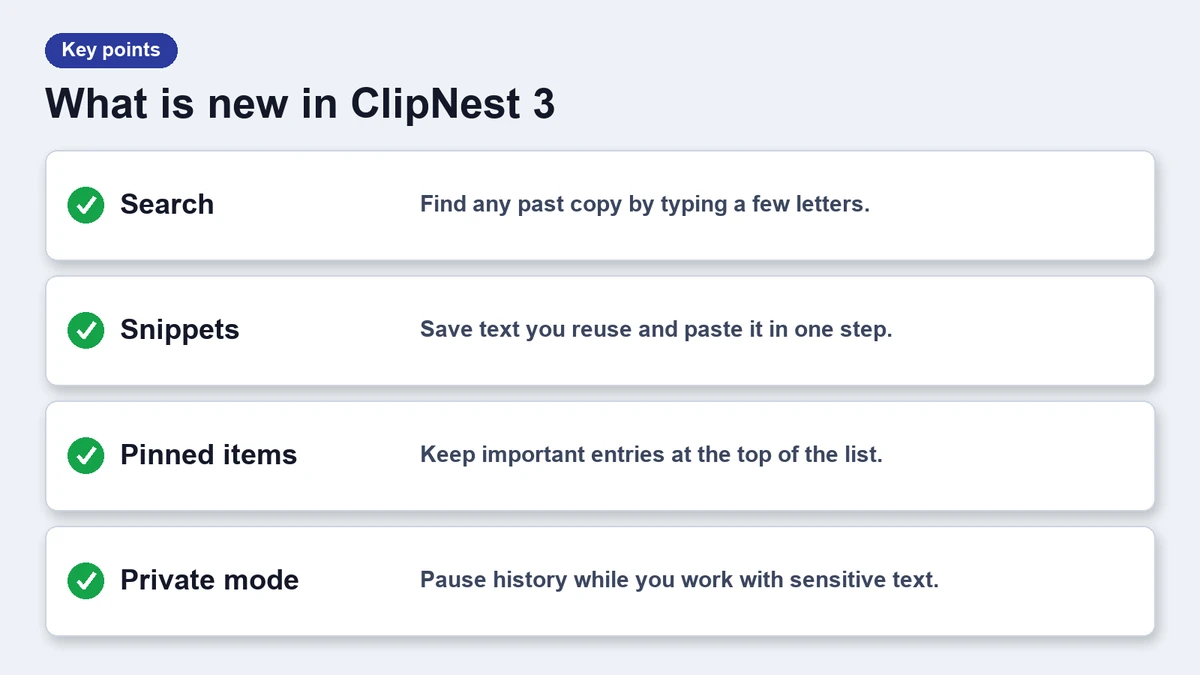
- Searchable history: type a few letters to filter thousands of copies.
- Snippets: save text with a short trigger and paste it anywhere.
- Pinned items: keep the entries you need at the top of the list.
- Private mode: pause history while you copy sensitive text.
Search that stays out of the way
Search opens from a global shortcut and filters as you type. Results show a short preview and the app where the text was copied. Pressing return pastes the selected item into the app you were using.
Snippets for repeated text
Snippets work like text shortcuts. You type a trigger such as an email sign-off, and ClipNest expands it. Snippets sync between your own Macs on the paid plans.
Plans and pricing
The vendor lists three plans. The numbers below are invented for this demo.
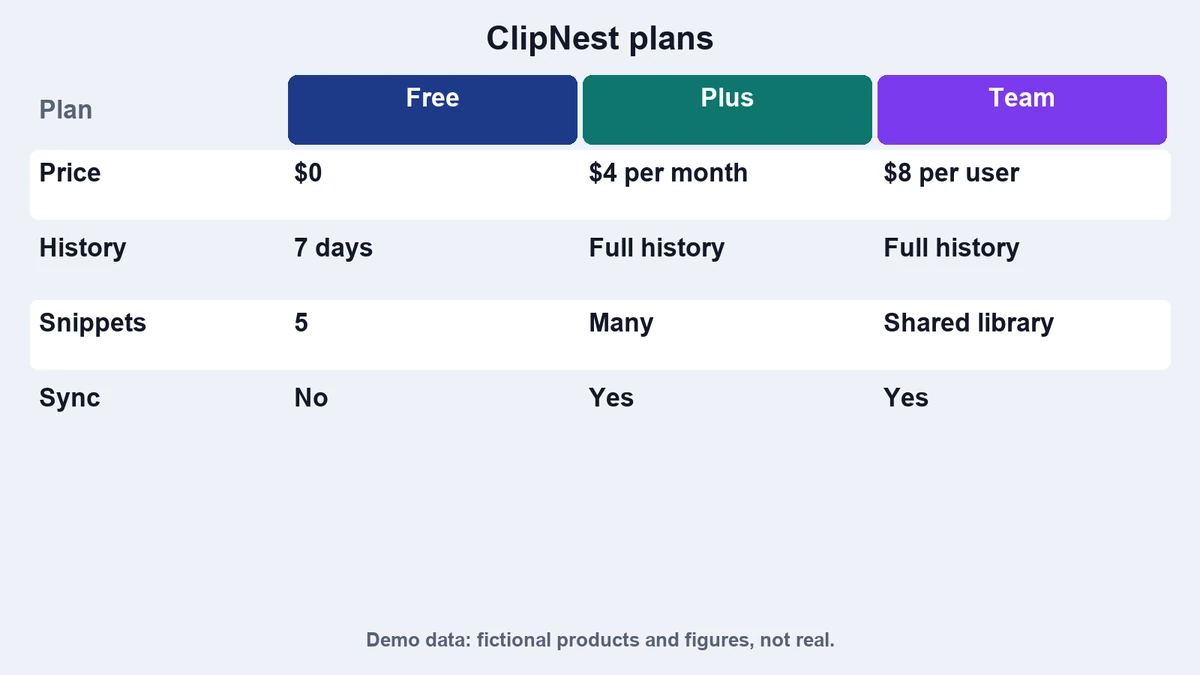
| Plan | Price | History | Snippets |
|---|---|---|---|
| Free | $0 | Last 200 items | 10 snippets |
| Plus | $19 once | Unlimited | Unlimited |
| Team | $4 per seat monthly | Unlimited | Shared library |
How it compares
ClipNest 3 now sits close to other tools in its class. If you want a side by side view, read ClipNest vs PasteLane, or browse the list of free clipboard managers.
Who should care
People who copy a lot of text, such as writers, support agents and developers, will notice the search first. Casual users can stay on the free plan, because the shorter history is enough for everyday use.
Teams get the most from shared snippets, since a common reply library saves time and keeps wording consistent. The vendor says the team plan adds a simple admin page, and that data stays on each Mac unless sync is turned on.
How the update was built
The vendor says search was rebuilt from scratch so it stays quick as history grows. An index updates in the background, and results appear after the first keystroke. On a Mac with a large history the first search may take a moment while the index warms up.
Snippets use a short trigger that you type in any text field. If a trigger clashes with normal words, you can change the prefix in settings. The app also warns you before it expands a snippet in a password field.
Frequently asked questions
Is ClipNest 3 a real app?
No. ClipNest is a fictional product used for this demo.
Does the free plan include search?
Yes, search works on the last 200 items.
Can I turn history off for passwords?
Private mode pauses history until you turn it back on.
Do snippets sync between Macs?
On paid plans, yes. The free plan keeps snippets local.