ClipNest vs PasteLane: Which Clipboard Manager Fits You?
ClipNest and PasteLane are two fictional clipboard managers compared in this demo. ClipNest has a longer free history, fast search and snippets. PasteLane is lighter and simpler. Choose ClipNest if you copy a lot and need search, and choose PasteLane if you want a quiet, minimal tool.

Quick viewCollapseExpand
Key facts
| Feature | ClipNest | PasteLane |
|---|---|---|
| Platforms | macOS source | macOS source |
| Price | Free, Plus $19 once source | Free, paid $9 once source |
| Free history | 200 items source | 100 items source |
| Search | Fast, filters by app source | Basic text match source |
| Snippets | Yes source | No source |
| Sync | Paid plans source | No source |
Both tools remember what you copy, and both are free to start. The difference is in how much they remember and how they help you find it. This demo page compares them side by side.
Side by side
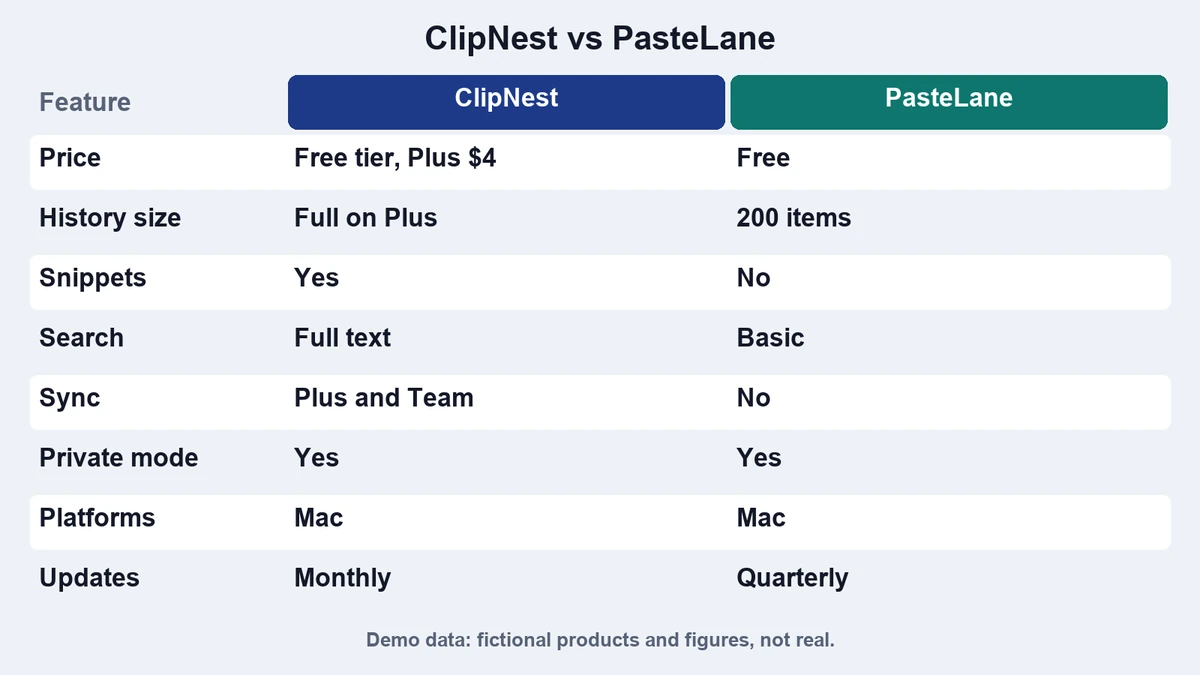
| Feature | ClipNest | PasteLane |
|---|---|---|
| Free history | 200 items | 100 items |
| Search | Fast, filters by app | Basic text match |
| Snippets | Yes, 10 on free | No |
| Privacy mode | Yes | Yes |
| Memory use | Light | Very light |
| Sync between Macs | Paid plans | Not available |
| Price of paid plan | $19 once | $9 once |
| Learning curve | Medium | Low |
Search and history
ClipNest keeps twice as much history on the free plan and filters by source app. That helps if you copy dozens of items a day. PasteLane shows a shorter list and matches plain text only.
Snippets and extras
ClipNest adds snippets and pinned items. PasteLane skips them on purpose, which keeps the interface calm. If you never reuse text, you will not miss snippets.
Which should you choose
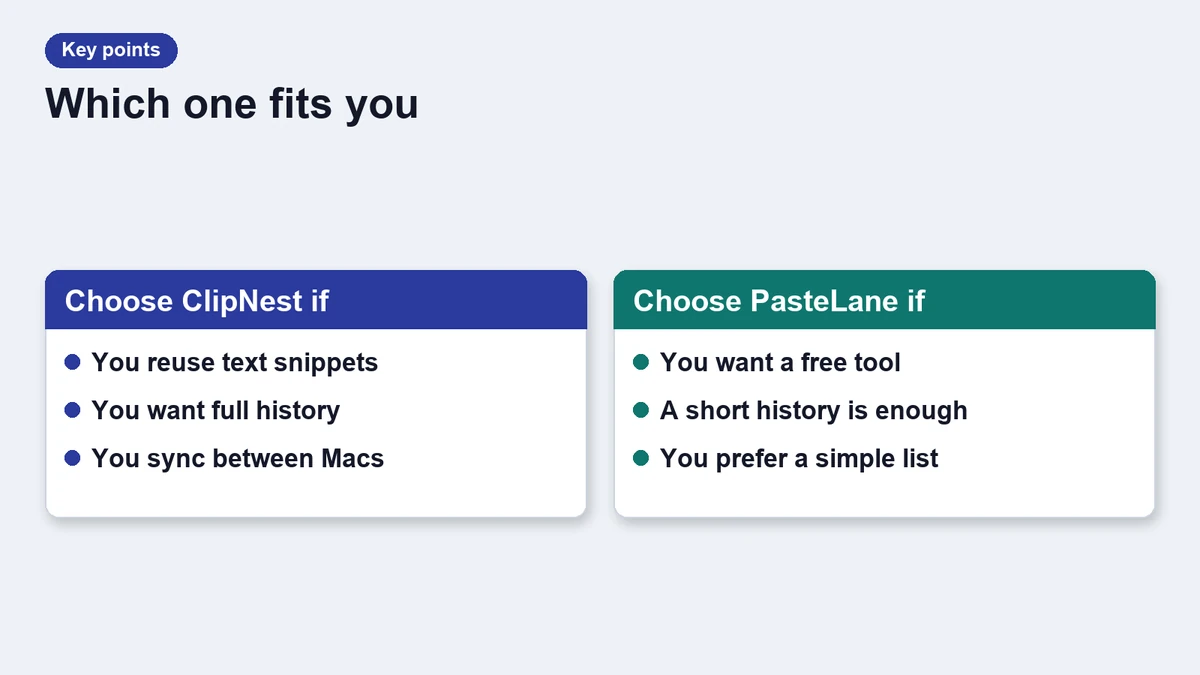
Choose ClipNest if
- You copy and paste all day.
- You want fast search and snippets.
- You use more than one Mac.
Choose PasteLane if
- You want the smallest possible tool.
- You care about low memory use.
- You prefer a short list.
The short version
Power users will like ClipNest, and minimalists will like PasteLane. Read our roundup of free clipboard managers for a third option, or the ClipNest 3 story for details on the latest version.
A closer look at privacy
Both apps offer a privacy mode that pauses history on demand. ClipNest can also ignore chosen apps, so a password manager never appears in the list. PasteLane relies on the system flag that marks sensitive copies, which covers most cases.
If you handle sensitive text all day, test the privacy mode with your own tools before you commit. A short trial tells you more than a feature list.
Pricing and upgrades
Paid plans differ in structure. ClipNest sells a one time license with a year of updates, while PasteLane sells a cheaper license with fewer extras. Check what each plan includes before you buy, and keep the receipt for future upgrades.
Frequently asked questions
Which is faster?
Both are fast, but ClipNest has better search and PasteLane uses less memory.
Can I switch later?
Yes, export your history and import it into the other app if it supports import.
Are these real products?
No, both are fictional and used only for this demo.
Do they work offline?
Yes. Neither needs a network for core features.
Updates
- 2026-11-17: Demo page refreshed for layout testing.