Best Free Clipboard Managers for Mac
This demo list compares three fictional free clipboard managers for Mac: ClipNest, PasteLane and ShelfPaste. We rank them on history length, search speed and privacy controls. ClipNest leads for search, PasteLane for simplicity and ShelfPaste for sharing. All products and numbers are invented for this demo.

Quick viewCollapseExpand
- ClipNest: Fast search and snippets.
- PasteLane: Simple and light.
- ShelfPaste: Best for sharing a shelf of items.
The built in clipboard remembers one item. A clipboard manager remembers many, so you can paste something you copied an hour ago. This demo list covers three free options and how to choose.
How we picked
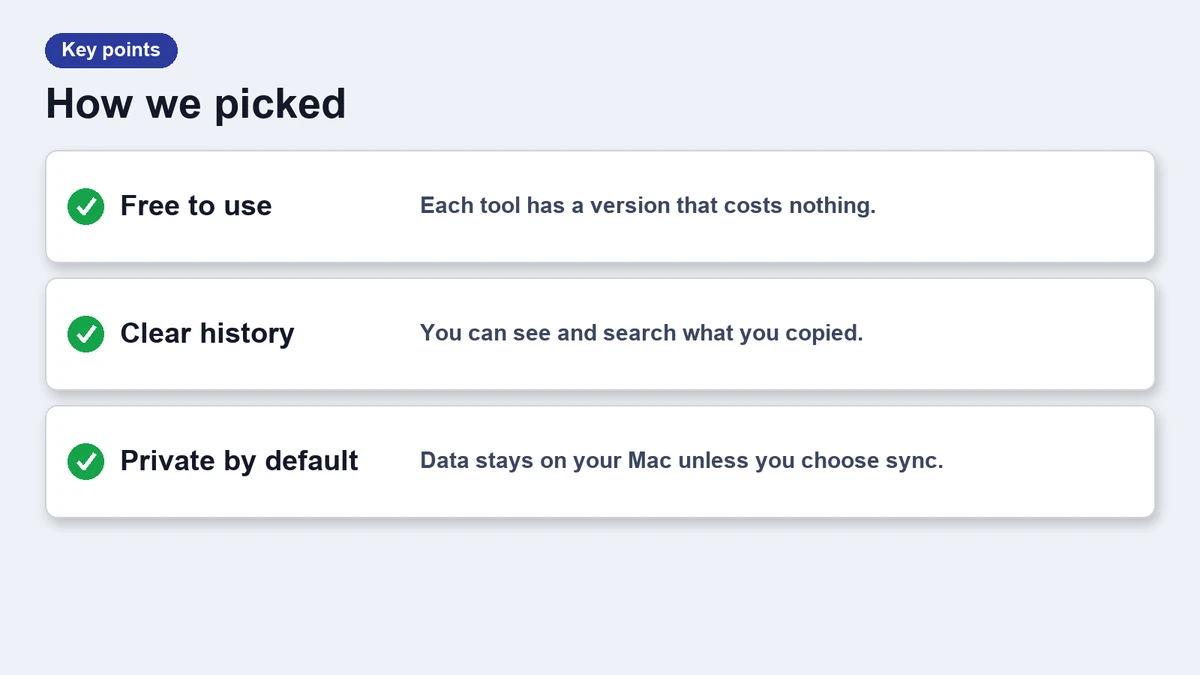
- History length on the free plan.
- Search speed and quality.
- Privacy controls for passwords.
- Price and limits of the free tier.
Free clipboard managers compared
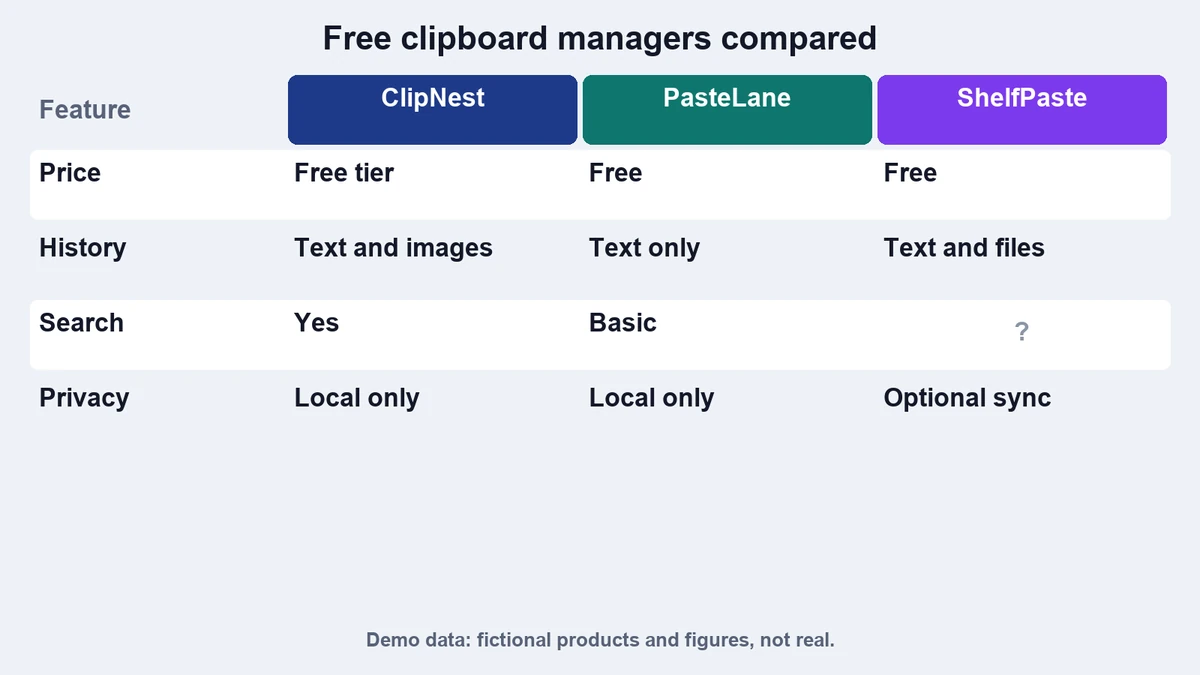
| App | Free history | Search | Privacy mode | Best for |
|---|---|---|---|---|
| ClipNest | 200 items | Fast, filters by app | Yes | Heavy copy and paste |
| PasteLane | 100 items | Basic | Yes | Simple setups |
| ShelfPaste | 50 items | Tags | Manual | Shared shelves |
ClipNest: fast search
ClipNest keeps the longest free history and filters as you type. The paid plans add snippets, which we cover in this update story.
PasteLane: simple and light
PasteLane does the basics well. It shows a small list, supports plain text paste and uses little memory. It has fewer settings, which some people prefer.
ShelfPaste: a shelf for items
ShelfPaste treats the clipboard as a shelf you can pin items to. It suits people who reuse the same links and notes all day.
Move your history in three steps
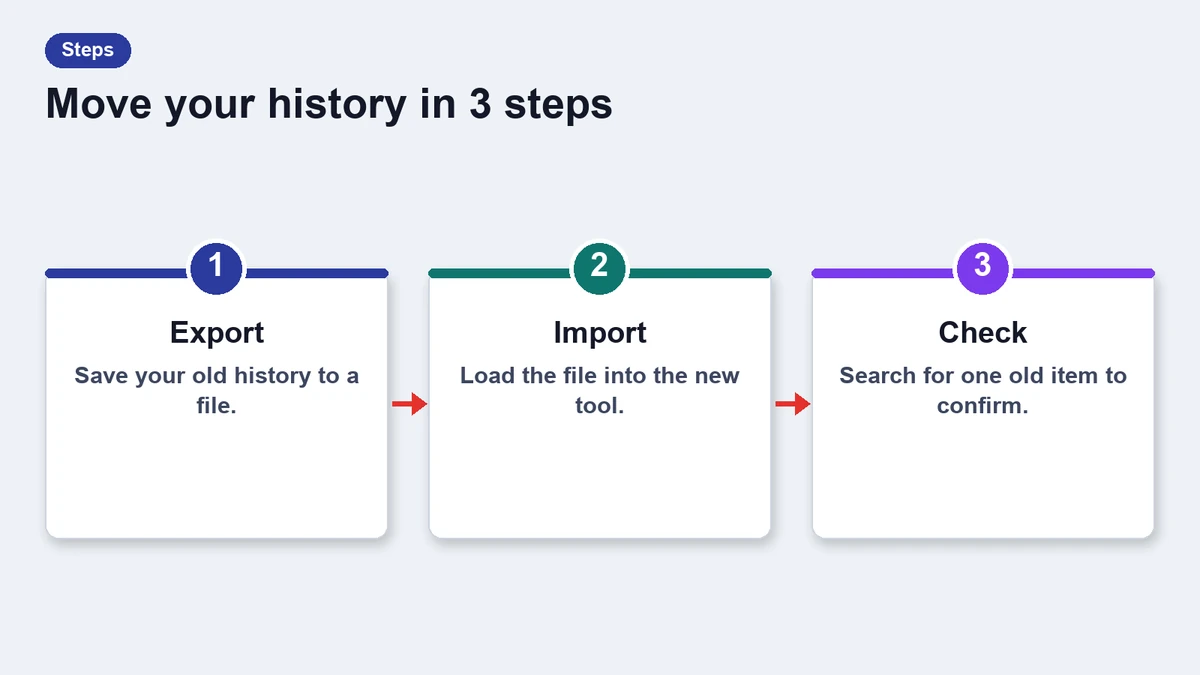
- Export history from your current tool if it allows it.
- Install the new app and import the file.
- Turn off the old app so the two do not fight.
Which one should you pick
Start with ClipNest if search matters most. Pick PasteLane for a quiet tool. Choose ShelfPaste if you work from a set of items you reuse. For a direct match up, read ClipNest vs PasteLane.
Privacy and safety notes
A clipboard manager stores what you copy, including text you may not want to keep. Check where the app saves its history and whether it can exclude certain apps. Password managers usually mark their copies as concealed, and a good manager respects that mark.
Clear the history before you share your screen or hand over the Mac. Most apps offer a single command for this, and the habit takes seconds.
Our ranking is a demo ranking. In a real roundup we would test each tool, record the version and link every claim to a source. Here the numbers exist only to fill the table.
Frequently asked questions
Are these real apps?
No. They are fictional products used for this demo.
Is a clipboard manager safe for passwords?
Use an app with a privacy mode, and pause history when copying secrets.
Do I need a paid plan?
Not for everyday use. The free tiers cover most people.
Can I use two at once?
It is better to use one, because two can interfere.